Home / Faces / Mood Meter / Buy here

Mood Meter — buy the Garmin watch face here

Mood Meter for €2.49 once, tax included. You get the watch file for your Garmin and put it on the watch with its USB cable. No Connect IQ Store purchase needed.

The watch face
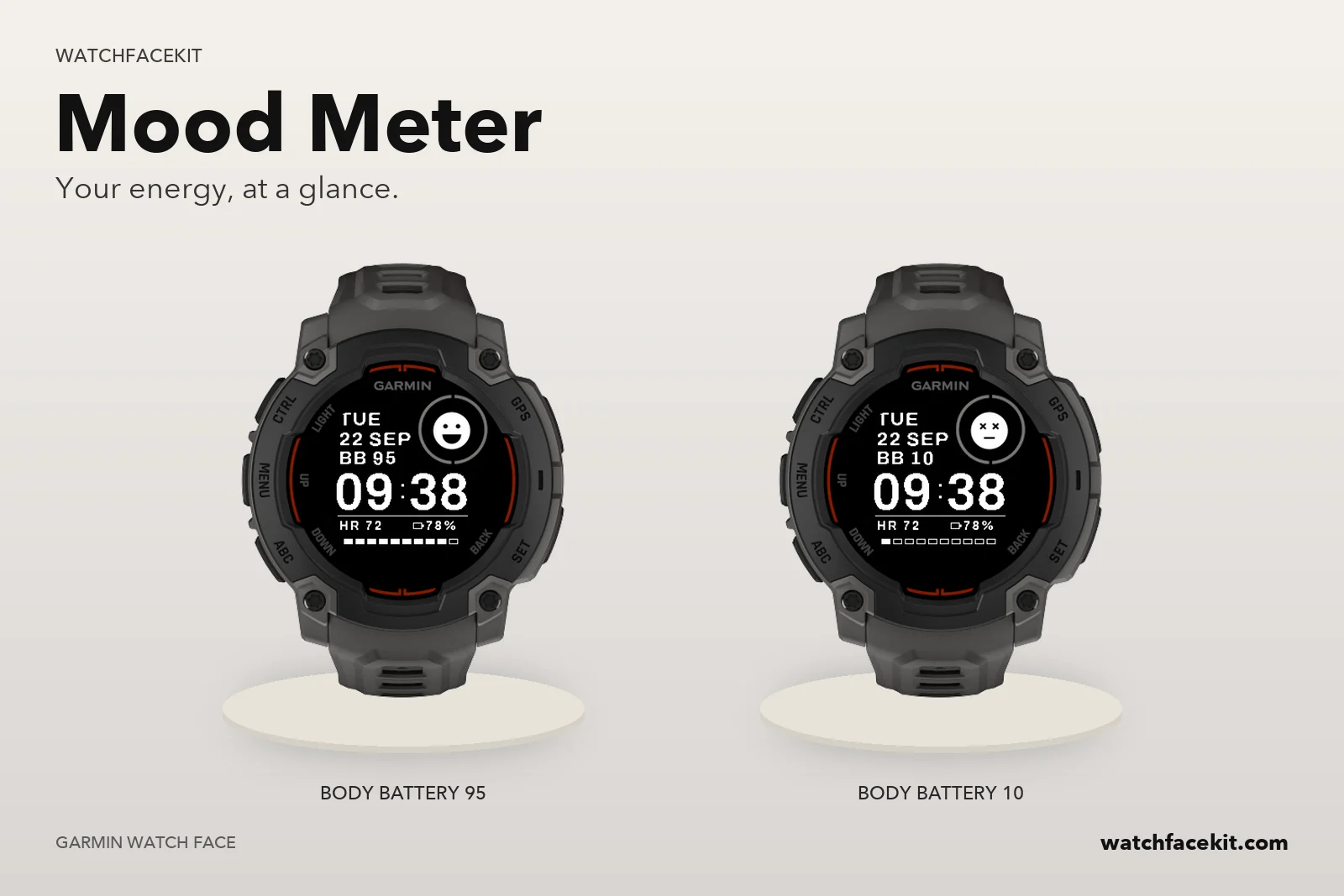
Your watch

It runs on these watches:

  • Instinct 3 Solar 45mm / 50mm
  • Instinct E 40mm
  • Instinct E 45mm

Your model is not here? Then the pack is not for your watch yet — please do not buy it.

How the faces get onto the watch

  • You need a computer and the USB cable of your watch. A phone alone is not enough: the files cannot be installed from the Garmin Connect app.
  • Mac or Windows with Chrome or Edge: connect the watch, open «My watch faces» on this site and press «Install» next to each face you want.
  • Windows: you can also download the files and copy them into the GARMIN\Apps folder of the watch in File Explorer.

Step-by-step: installing a pack →

How this differs from the Connect IQ Store version

  • The faces are the same designs. You set them up on the watch itself (hold UP / MENU on the face → Customize); the settings screen in the phone app works only for faces installed from the Connect IQ Store.
  • Updates do not arrive by themselves. When we release a new version, it appears in «My watch faces» and you install it the same way.
  • The files are for your own watches. Your purchase stays in «My watch faces» — sign in with your e-mail any time.

How you get your watch faces

Please read this before paying: the faces go onto the watch by cable from a computer, not through the Connect IQ app.

  1. 1PayRight after payment you get an e-mail with a sign-in link to «My watch faces».
  2. 2Open it on a computerMac or Windows with Chrome or Edge. Choose your watch model there.
  3. 3Connect the cablePress «Install»: the face goes onto the watch.
  4. 4Pick it on the watchUnplug, hold UP / MENU → Watch Face → choose. Settings are made on the watch.
  • A phone alone is not enough: these faces cannot be installed from the Garmin Connect or Connect IQ app.
  • The face is built for the models listed on this page — check yours before paying.
  • Before installing, check free places in the Connect IQ app (Device → Installed Apps): every watch holds a limited number of faces, apps and data fields in total. On a full watch a new face stays hidden. This is Garmin’s limit, not ours: your faces stay in «My watch faces» even when they are not on the watch.Connect IQ app → Device → Installed Apps: 30 installed, 2 remaining
  • Removing a face installed by cable: Garmin Express on Windows, or the Connect IQ Store app on the watch where your model has one.
  • Updates do not arrive by themselves: a new version appears in «My watch faces» and is installed the same way.

Windows without Chrome or Edge: download the .prg file(s) and copy them into GARMIN\Apps on the watch in File Explorer.

Continue to payment