Modern Watch MIP — buy the Garmin watch face here
Modern Watch MIP for €3.49 once, tax included. You get the watch file for your Garmin and put it on the watch with its USB cable. No Connect IQ Store purchase needed.
The watch face
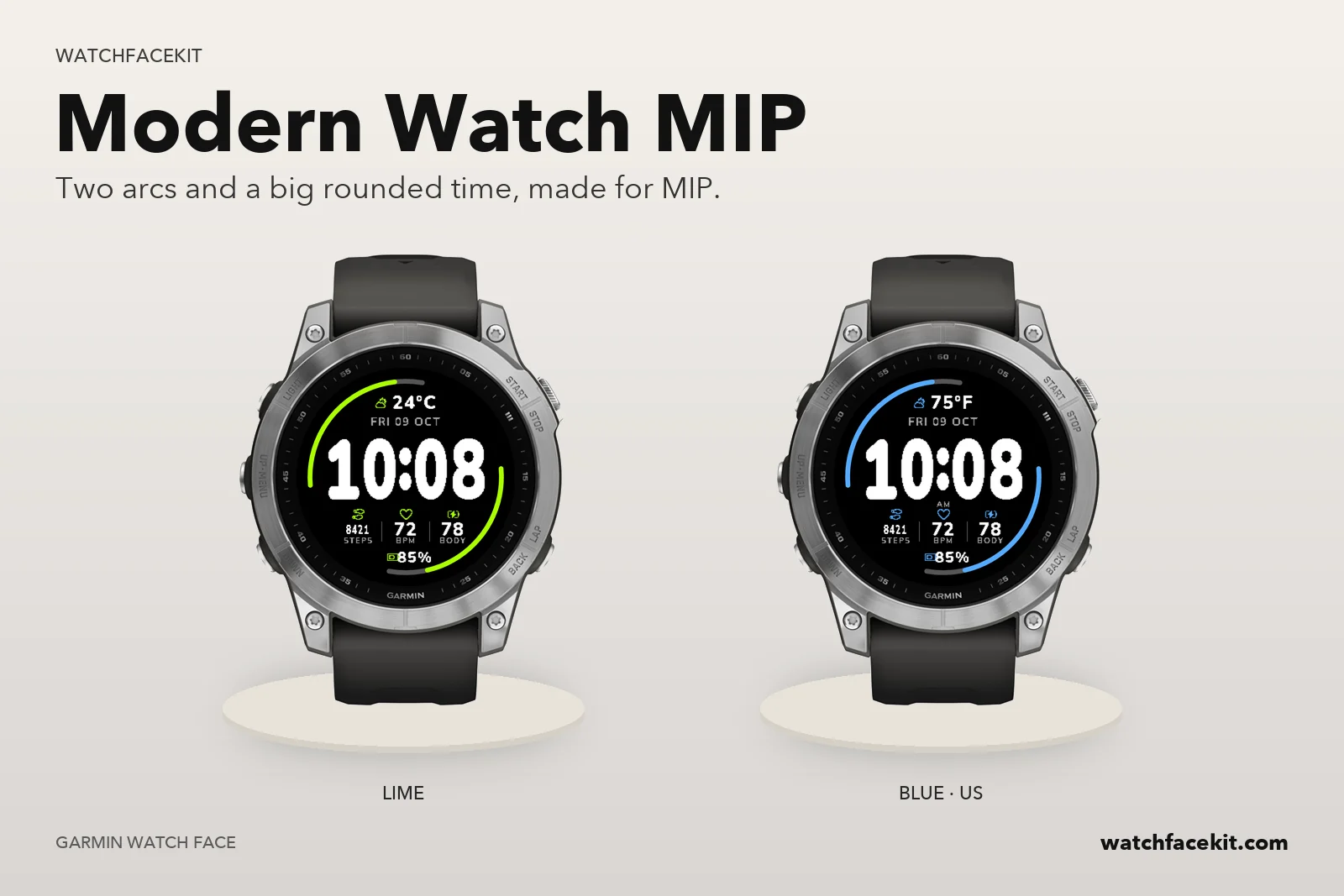 Modern Watch MIP
Your watch
It runs on these watches:
- Approach S60
- Approach S62
- D2™ Charlie
- D2™ Delta
- D2™ Delta PX
- D2™ Delta S
- Descent™ Mk1
- Descent™ Mk2 / Mk2i
- Descent™ Mk2 S
- Enduro™
- Enduro™ 3
- Enduro™ 4
- fēnix 5 / quatix 5
- fēnix 5 Plus
- fēnix 5S
- fēnix 5S Plus
- fēnix 5X / tactix Charlie
- fēnix 5X Plus
- fēnix 6 / 6 Solar / 6 Dual Power
- fēnix 6 Pro / 6 Sapphire / 6 Pro Solar / 6 Pro Dual Power / quatix 6
- fēnix 6S / 6S Solar / 6S Dual Power
- fēnix 6S Pro / 6S Sapphire / 6S Pro Solar / 6S Pro Dual Power
- fēnix 6X Pro / 6X Sapphire / 6X Pro Solar / tactix Delta Sapphire / Delta Solar / Delta Solar - Ballistics Edition / quatix 6X / 6X Solar / 6X Dual Power
- fēnix 7 / quatix 7
- fēnix 7 Pro
- fēnix 7 Pro - Solar Edition (no Wi-Fi)
- fēnix 7S
- fēnix 7S Pro
- fēnix 7X / tactix 7 / quatix 7X Solar / Enduro™ 2
- fēnix 7X Pro
- fēnix 7X Pro - Solar Edition (no Wi-Fi)
- fēnix 8 Solar 47mm
- fēnix 8 Solar 51mm / tactix 8 Solar 51mm
- fēnix 9 Pro Solar 47mm
- fēnix 9 Pro Solar 51mm
- Forerunner 245
- Forerunner 245 Music
- Forerunner 255
- Forerunner 255 Music
- Forerunner 255s
- Forerunner 255s Music
- Forerunner 645
- Forerunner 645 Music
- Forerunner 745
- Forerunner 935
- Forerunner 945
- Forerunner 945 LTE
- Forerunner 955 / Solar
- MARQ Adventurer
- MARQ Athlete
- MARQ Aviator
- MARQ Captain / MARQ Captain: American Magic Edition
- MARQ Commander
- MARQ Driver
- MARQ Expedition
- MARQ Golfer
- vívoactive 3
- vívoactive 3 Mercedes-Benz Collection
- vívoactive 3 Music
- vívoactive 3 Music LTE
- vívoactive 4
- vívoactive 4S
Your model is not here? Then the pack is not for your watch yet — please do not buy it.
How the faces get onto the watch
- You need a computer and the USB cable of your watch. A phone alone is not enough: the files cannot be installed from the Garmin Connect app.
- Mac or Windows with Chrome or Edge: connect the watch, open «My watch faces» on this site and press «Install» next to each face you want.
- Windows: you can also download the files and copy them into the GARMIN\Apps folder of the watch in File Explorer.
How this differs from the Connect IQ Store version
- The faces are the same designs. You set them up on the watch itself (hold UP / MENU on the face → Customize); the settings screen in the phone app works only for faces installed from the Connect IQ Store.
- Updates do not arrive by themselves. When we release a new version, it appears in «My watch faces» and you install it the same way.
- The files are for your own watches. Your purchase stays in «My watch faces» — sign in with your e-mail any time.