24-Hour Clock MIP — buy the Garmin watch face here
24-Hour Clock MIP for €3.49 once, tax included. You get the watch file for your Garmin and put it on the watch with its USB cable. No Connect IQ Store purchase needed.
The watch face
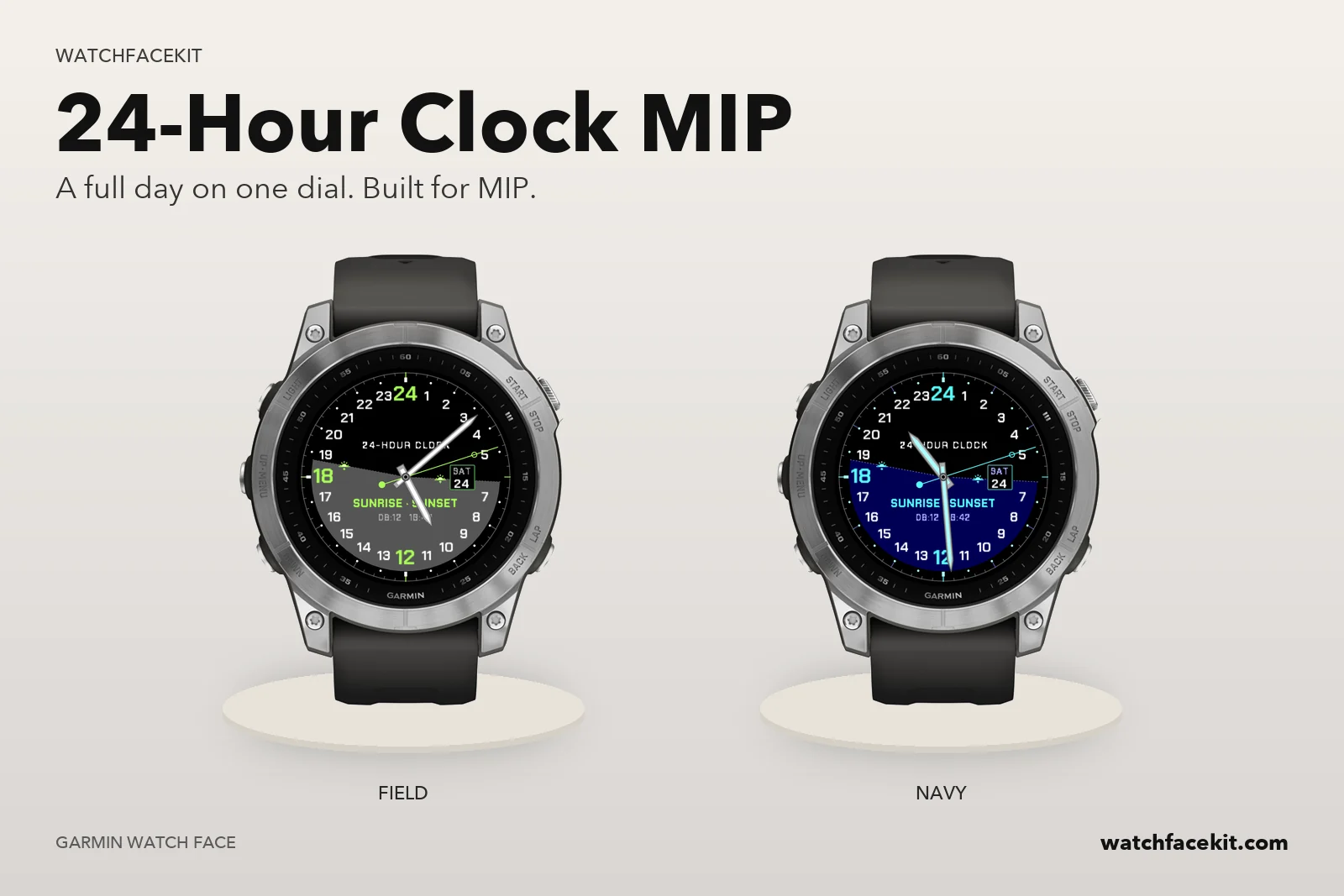 24-Hour Clock MIP
Your watch
It runs on these watches:
- Enduro™ 3
- Enduro™ 4
- fēnix 6 / 6 Solar / 6 Dual Power
- fēnix 6 Pro / 6 Sapphire / 6 Pro Solar / 6 Pro Dual Power / quatix 6
- fēnix 6S Pro / 6S Sapphire / 6S Pro Solar / 6S Pro Dual Power
- fēnix 6X Pro / 6X Sapphire / 6X Pro Solar / tactix Delta Sapphire / Delta Solar / Delta Solar - Ballistics Edition / quatix 6X / 6X Solar / 6X Dual Power
- fēnix 7 / quatix 7
- fēnix 7 Pro
- fēnix 7 Pro - Solar Edition (no Wi-Fi)
- fēnix 7S
- fēnix 7S Pro
- fēnix 7X / tactix 7 / quatix 7X Solar / Enduro™ 2
- fēnix 7X Pro
- fēnix 7X Pro - Solar Edition (no Wi-Fi)
- fēnix 8 Solar 47mm
- fēnix 8 Solar 51mm / tactix 8 Solar 51mm
- fēnix 9 Pro Solar 47mm
- fēnix 9 Pro Solar 51mm
- Forerunner 255
- Forerunner 255 Music
- Forerunner 255s
- Forerunner 255s Music
- Forerunner 955 / Solar
Your model is not here? Then the pack is not for your watch yet — please do not buy it.
How the faces get onto the watch
- You need a computer and the USB cable of your watch. A phone alone is not enough: the files cannot be installed from the Garmin Connect app.
- Mac or Windows with Chrome or Edge: connect the watch, open «My watch faces» on this site and press «Install» next to each face you want.
- Windows: you can also download the files and copy them into the GARMIN\Apps folder of the watch in File Explorer.
How this differs from the Connect IQ Store version
- The faces are the same designs. You set them up on the watch itself (hold UP / MENU on the face → Customize); the settings screen in the phone app works only for faces installed from the Connect IQ Store.
- Updates do not arrive by themselves. When we release a new version, it appears in «My watch faces» and you install it the same way.
- The files are for your own watches. Your purchase stays in «My watch faces» — sign in with your e-mail any time.