Your Style Face€3.49
Get it on Connect IQLive time; the photo is an example. Your own picture is sent from the photo editor after you install the face.
Your Style Face
Your own photo with large digital time on top: four font styles, fifteen numeral systems, seven digit colours, 100/75/50% digit opacity and seven photo tints. Scan the QR on the watch, frame the photo on your phone — no computer, no sideloading. €3.49.
1+ installs
€3.49
Prices are in euros, tax included. In the Connect IQ Store, Garmin sets the price in US dollars and shows it in your currency, so it is usually a little lower there.
Bought here, the face goes onto the watch from a computer with the USB cable.
| Price | €3.49 — one-time purchase |
|---|---|
| Settings | 4 styles · 15 numeral systems · 7 colours · your own photo |
| Compatibility | Supported round AMOLED Garmin models; no rectangular, MIP or mechanical-hand models. Check the supported model list below. |
On the wrist
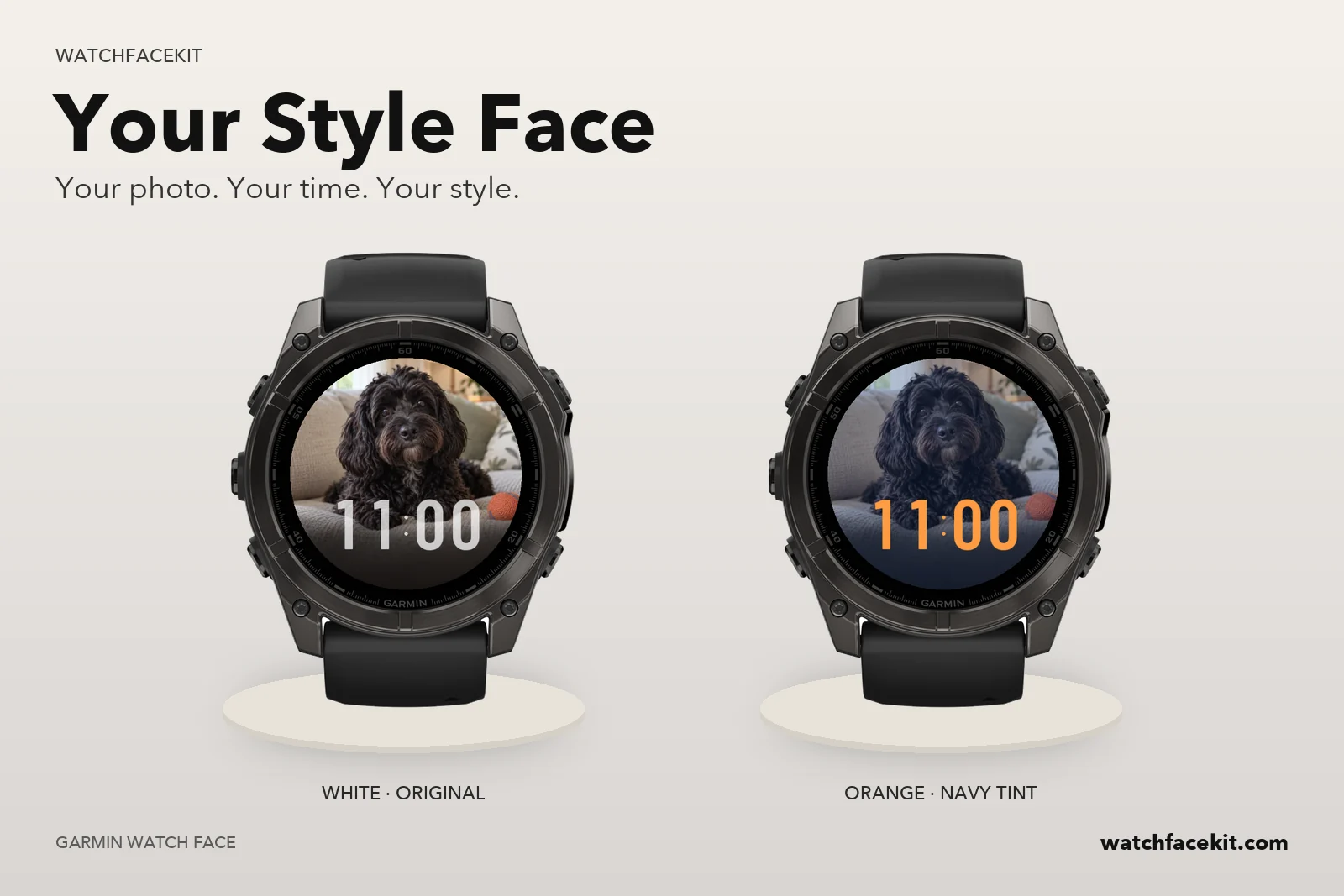
Your photo. Your time. Your style.
Big time over your picture
Large digital time sits in the lower half of the dial so faces and pets stay visible above it. Fixed digit cells keep the numbers from shifting as the minutes change; 12-hour, 24-hour or the watch setting.
Four styles, fifteen numeral systems
Classic, Bold, Tall or Outline — and Western, Arabic-Indic, Devanagari, Bengali, Myanmar, Gujarati, Gurmukhi, Kannada, Khmer, Malayalam, Meetei Mayek, Ol Chiki, Odia, Telugu or Urdu/Persian digits. The numerals change; the interface stays English. The preview here shows the default Tall Western style.
Colour, opacity and tint
Seven digit colours — White, Cream, Orange, Rose, Mint, Sky, Lavender — at 100, 75 or 50% opacity, so the photo can show through the numbers. Seven photo tints wash the picture in Navy, Emerald, Burgundy, Violet, Graphite or Amber without changing the uploaded photo.
Your photo is not kept
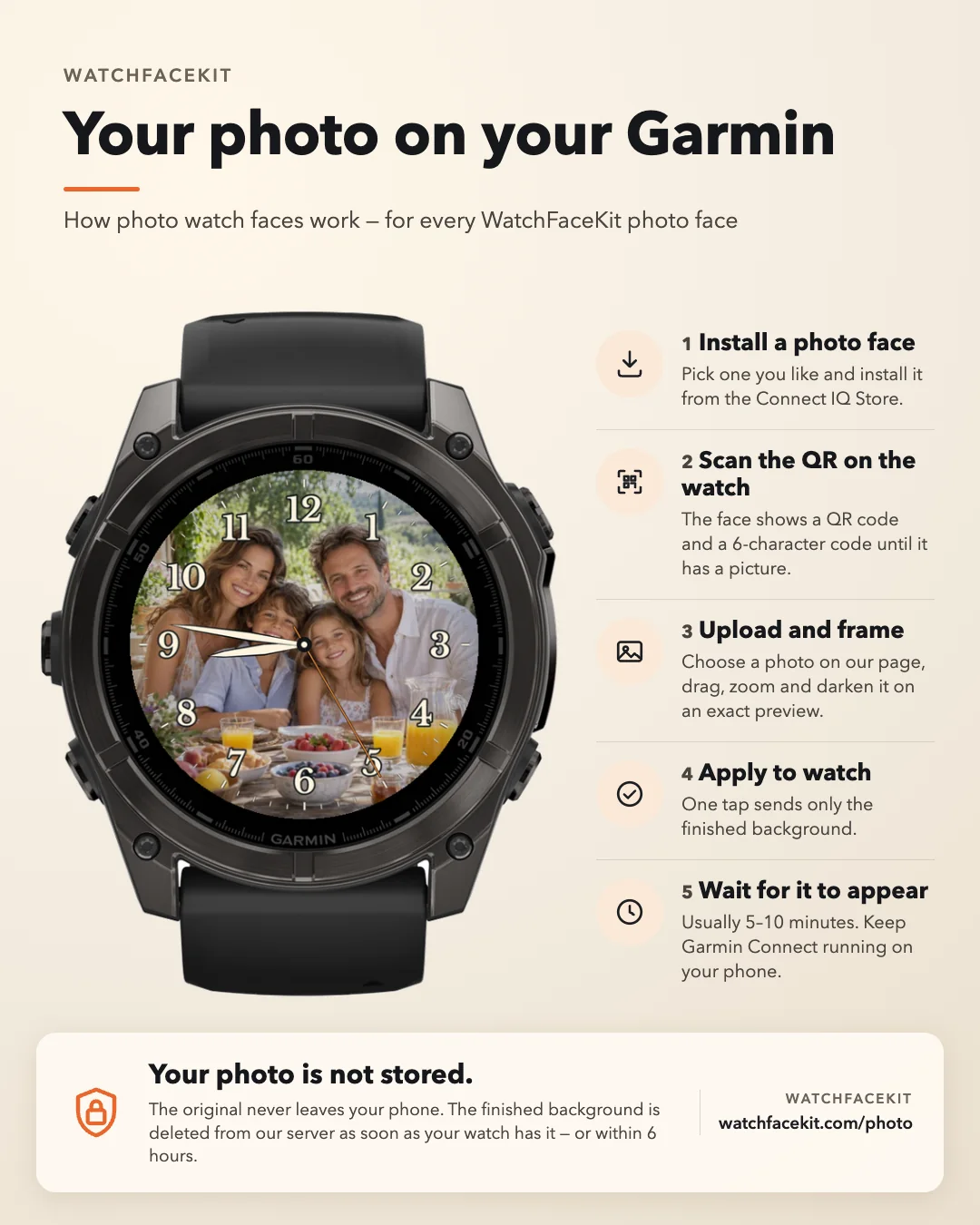
The original never leaves your phone; only the finished background is uploaded, and it is deleted from our server as soon as the watch confirms it. Always-on shows only small centred time on black, without the photo.
How to add your photo
Install the face, scan the QR on the watch, choose and crop a photo, and wait for the watch to confirm.
Your Style Face: what's new
Version 1.0.3
Published on the Connect IQ Store.
Version 1.0.2
Published on the Connect IQ Store.
Version 1.0.1
Published on the Connect IQ Store.
50 Garmin watches
Find your exact model below before installing.
Round AMOLED · 49
Only here, not in Connect IQ · 1
The Connect IQ Store does not sell this face for these models. Buy it here and put it on the watch with the USB cable.