Photo Heritage$2.99
Buy full versionLive time; the photo is an example. Your own picture is sent from the photo editor after you install the face.
Photo Heritage
Your own photo in a classic frame: a circular picture inside a chapter ring in seven colours, with gold-edged ivory baton hands and markers. Scan the QR on the watch, frame the photo on your phone — no computer, no sideloading. $2.99.
| Price | $2.99 — one-time purchase |
|---|---|
| Settings | 7 frame colours · your own photo · QR pairing |
| Compatibility | Supported round AMOLED Garmin models; no rectangular, MIP or mechanical-hand models. Check the supported model list below. |
On the wrist
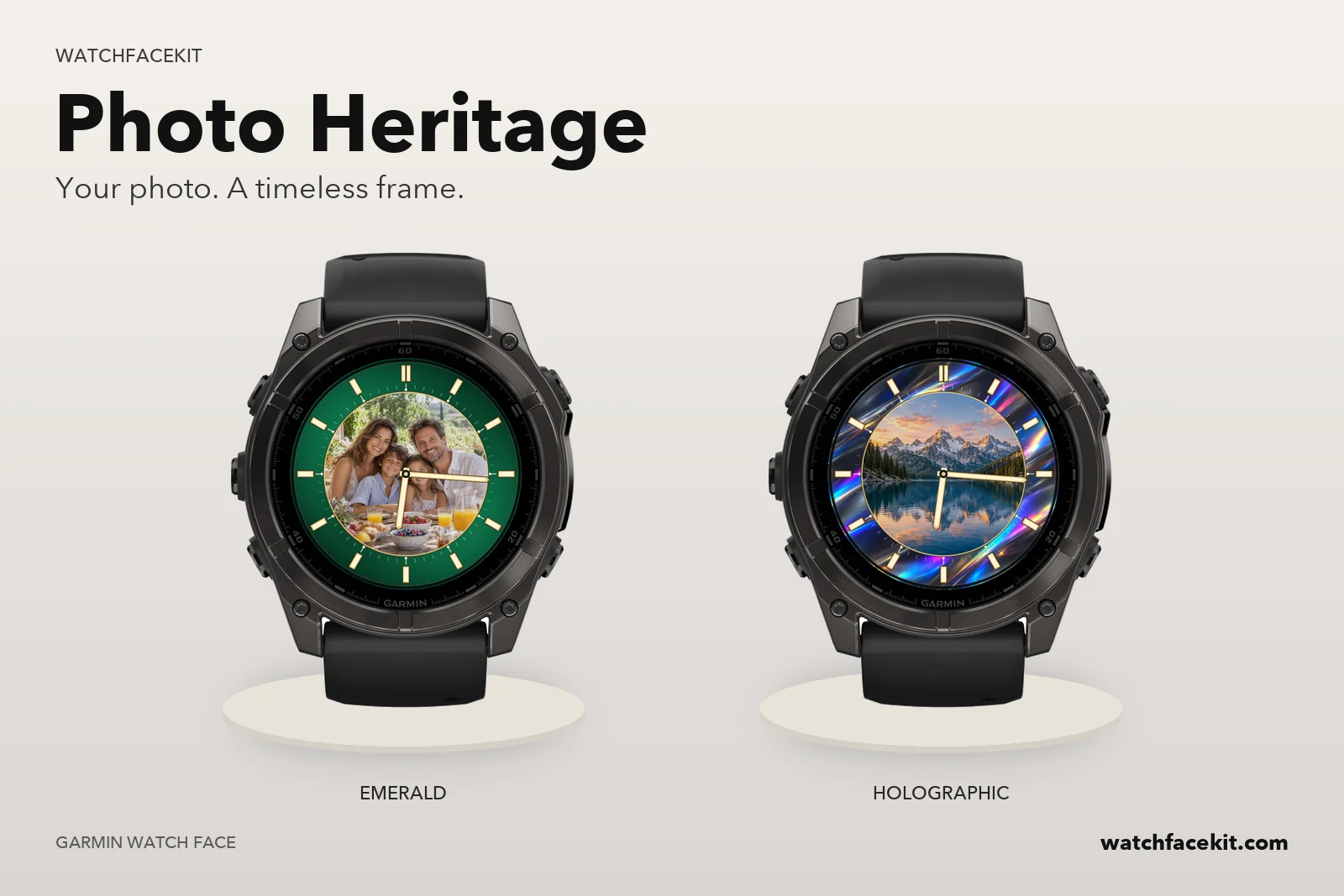
Your photo. A timeless frame.
A photo at the centre, a watch around it
Your picture fills a circle in the middle of the dial; the chapter ring around it carries gold-edged ivory baton markers, a double marker at 12 and a fine minute track. Changing the frame colour never touches the photo.
Seven frames
Emerald, Navy, Burgundy, Violet, Graphite, Champagne or Holographic — a static iridescent finish, not an animation. Pick it on the watch or in Connect IQ settings.
Paired with a QR from the watch
Until it has a picture, the face shows a QR code and a six-character code. Scan it, frame the photo on a pixel-exact preview, apply it, and the watch picks it up through Garmin Connect, usually within five to ten minutes.
Your photo is not kept
The original never leaves your phone; only the finished background is uploaded, and it is deleted from our server as soon as the watch confirms it. Always-on shows only dim hands and hour marks; the optional second hand is off by default.
How to add your photo
Install the face, scan the QR on the watch, choose and crop a photo, and wait for the watch to confirm.
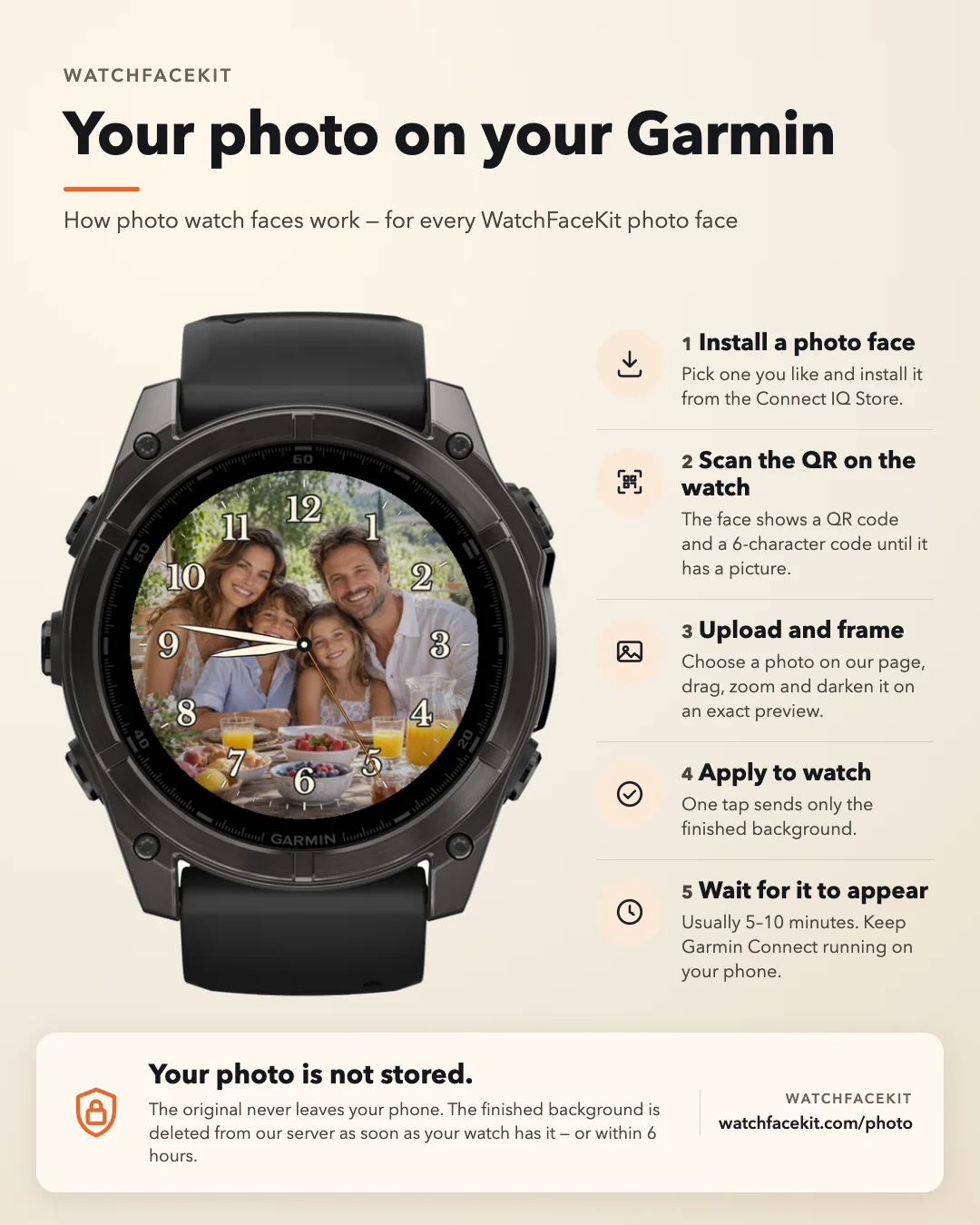
Photo Heritage: what's new
Version 1.0.1
Published on the Connect IQ Store.
Version 1.0.0
Published on the Connect IQ Store.
Website preview
Your own photo in a classic frame: a circular picture inside a chapter ring in seven colours, with gold-edged ivory baton hands and markers. Scan the QR on the watch, frame the photo on your phone — no computer, no sideloading. $2.99. Coming soon to Connect IQ.
Garmin AMOLED
Supported round AMOLED Garmin models; no rectangular, MIP or mechanical-hand models. Check the supported model list below.