Photo Classic FreeFree
Get it on Connect IQLive time; the photo is an example. Your own picture is sent from the photo editor after you install the face.
Photo Classic Free
A free analog Garmin watch face with your own photo behind large classic numerals and outlined hands. Scan the QR on the watch, frame the picture on your phone, and it arrives on the watch — no computer, no sideloading.
| Price | Free |
|---|---|
| Settings | Free · your own photo · QR pairing |
| Compatibility | Supported round AMOLED Garmin models; no rectangular, MIP or mechanical-hand models. Check the supported model list below. |
On the wrist
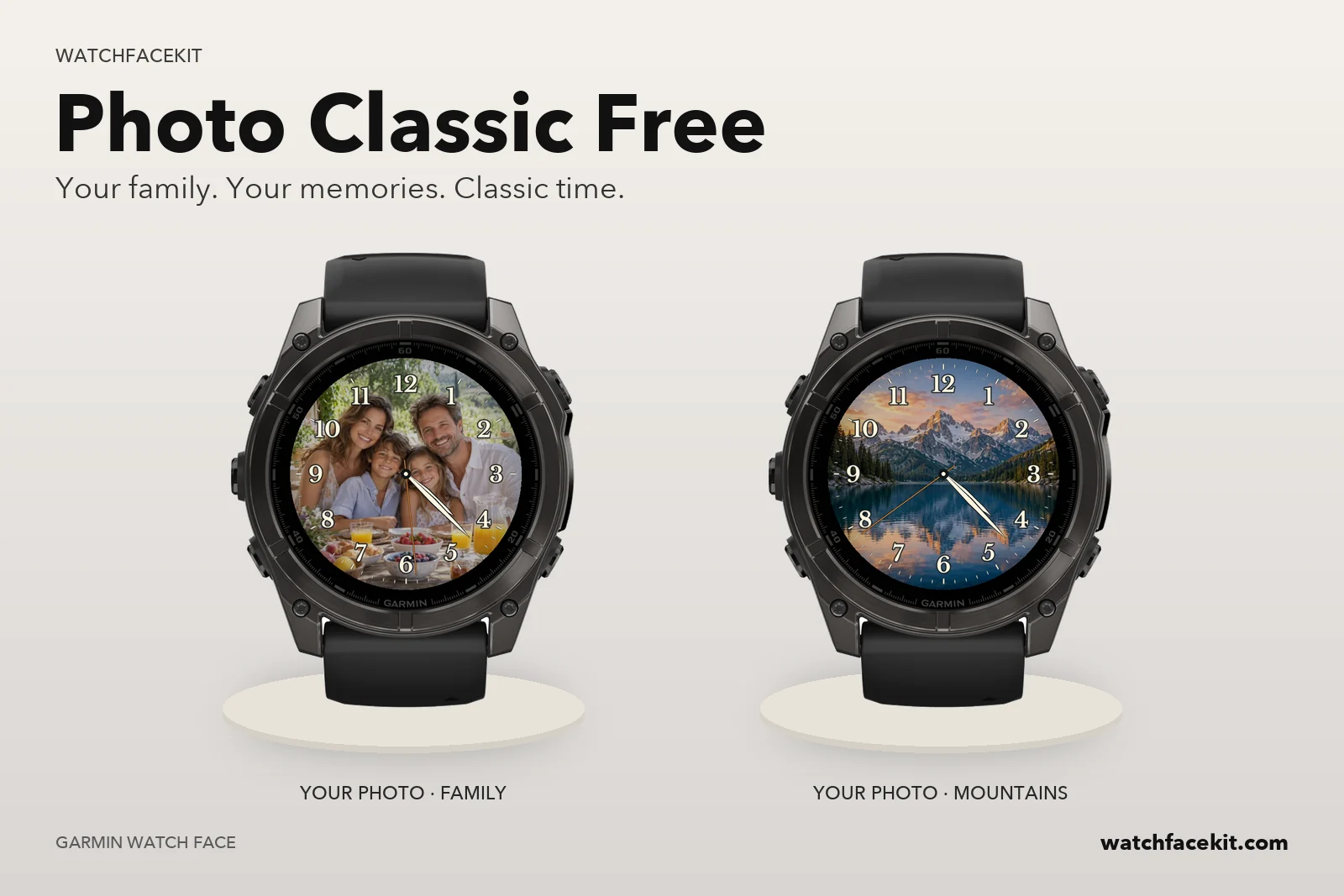
Your family. Your memories. Classic time.
Your photo, not a stock background
Pick any picture on your phone, frame and darken it on a pixel-exact preview of your watch, and apply it. Large warm-white Arabic numerals, a minute track and outlined hands sit on top, so the time stays readable over faces, landscapes or pets.
Paired with a QR from the watch
Before the first photo the face shows a QR code and a six-character code. Scan it and the editor opens already knowing your watch model and screen size. The picture reaches the watch through Garmin Connect on your phone, usually within five minutes, and then works offline.
The photo is not kept
The original never leaves your phone; only the finished background is uploaded, and it is deleted from our server as soon as the watch confirms it has it — or within 6 hours if it never arrives. No account, no subscription.
Quiet always-on
Always-on is black with two dim hands and twelve short hour marks — no photo, no seconds — with alternating dark rows so no pixel stays lit. On the watch: second hand on or off, show the pairing code again, or remove the photo.
How to add your photo
Install the face, scan the QR on the watch, choose and crop a photo, and wait for the watch to confirm.
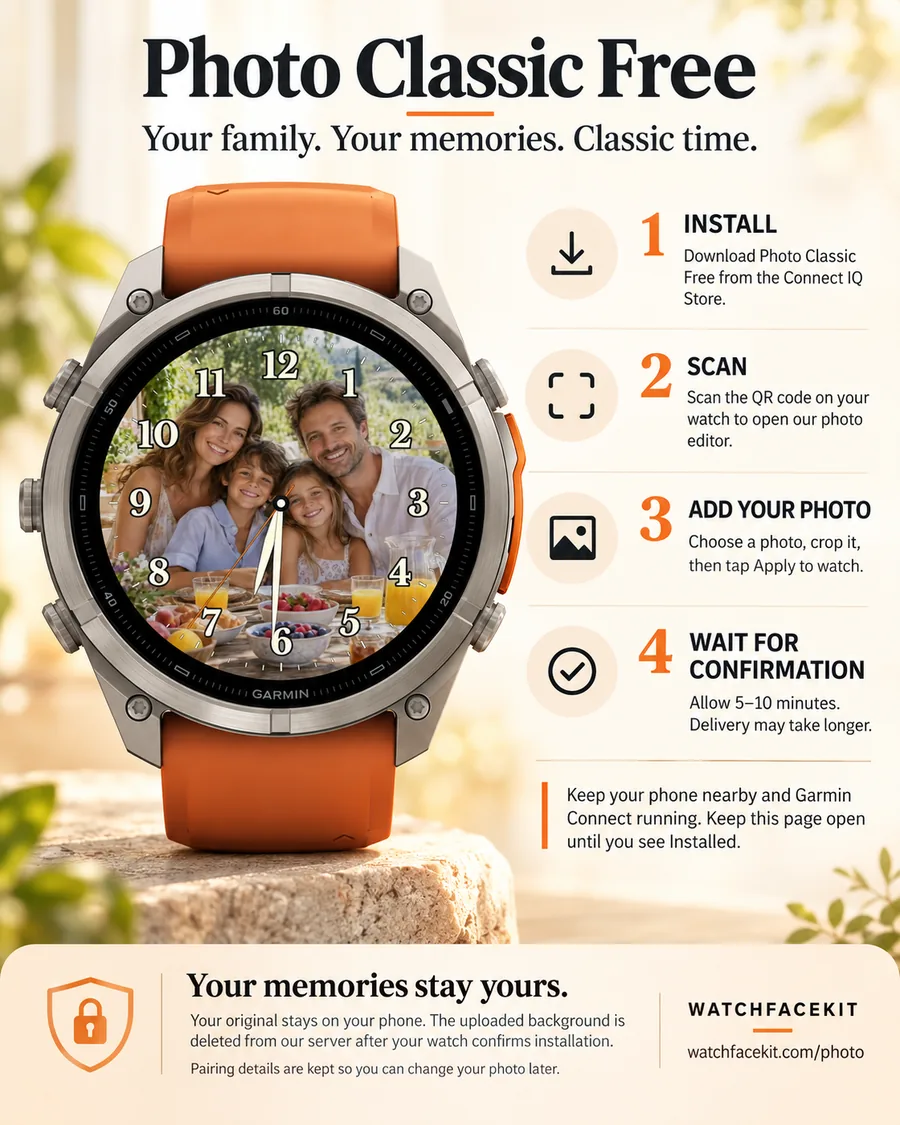
Photo Classic Free: what's new
Version 1.0.1
Published on the Connect IQ Store.
Version 1.0.0
Published on the Connect IQ Store.
Website preview
A free analog Garmin watch face with your own photo behind large classic numerals and outlined hands. Scan the QR on the watch, frame the picture on your phone, and it arrives on the watch — no computer, no sideloading. Free. Coming soon to Connect IQ.
Garmin AMOLED
Supported round AMOLED Garmin models; no rectangular, MIP or mechanical-hand models. Check the supported model list below.