Classic analog · titanium
Classic Nine
The analog pair — steel hands and a live orange second hand over a ghost “9”.
$2.99View face
4Nine$1.99
Get it on Connect IQA warm amber dial with four quarter-arc gauges riding the bezel — one at each cardinal, its value pinned in the gap, the fill growing clockwise as your day does. Behind the big Chakra Petch time sits a ghost “9” watermark. Designed alongside the fēnix 9 launch, and it runs on 45 round-AMOLED Garmins. Real data only: no reading means a quiet “--” and an empty arc, never a fake number.
| Price | $1.99 — one-time purchase |
|---|---|
| Style | Warm amber data gauges |
| Gauges | 4 quarter arcs on the bezel — battery, altitude, pressure, steps by default |
| Bottom row | 3 fields — heart rate, calories, Body Battery by default |
| Fields | All 7 swappable, on the watch or from the phone: battery, steps, Body Battery, calories, floors, stress, heart rate, altitude, pressure, temperature, distance, VO₂ max |
| Always-on | Outline time only, under 10% of pixels lit |
| Platform | Garmin Connect IQ · round AMOLED |
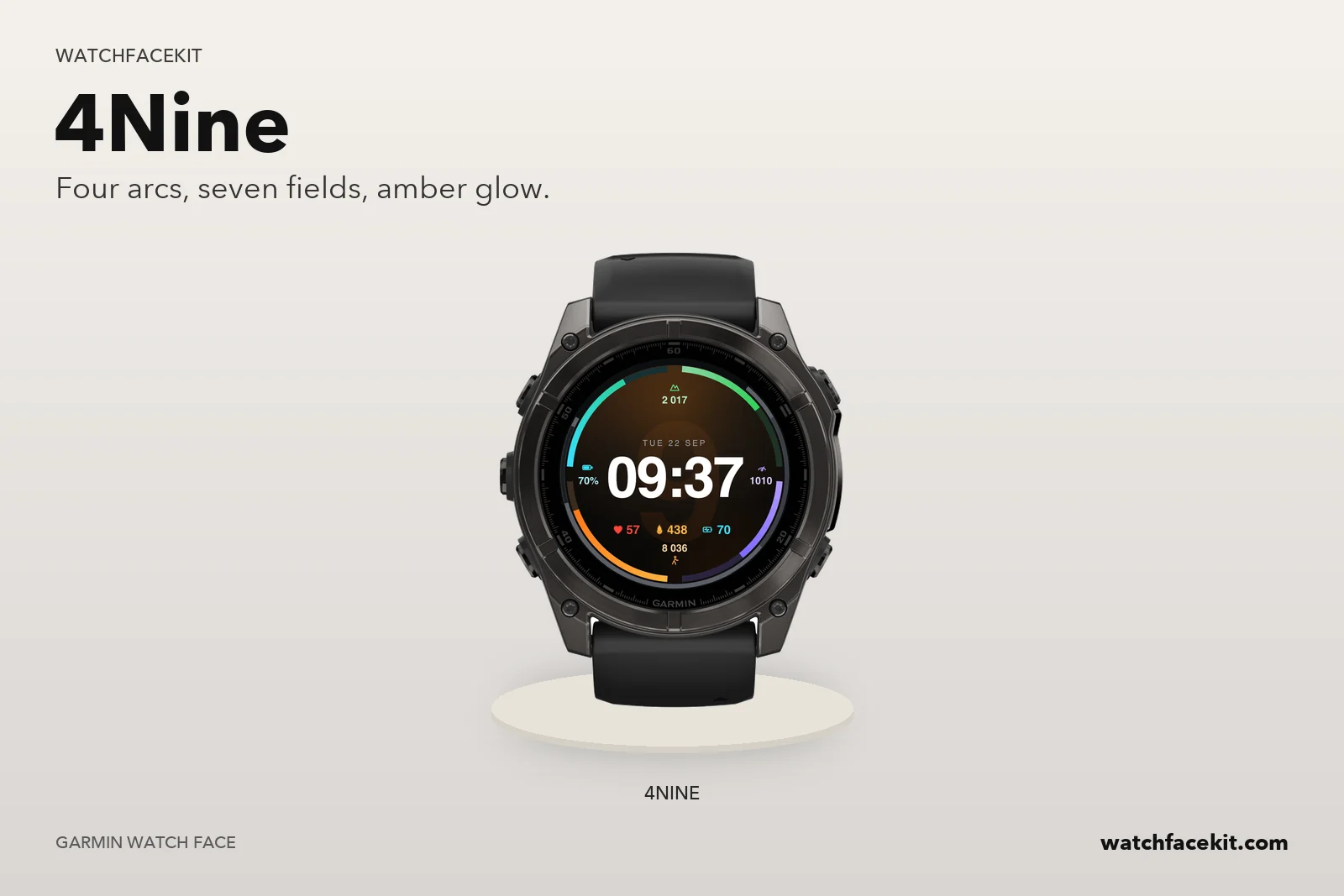
Each quarter arc lives at 9, 12, 3 or 6 o’clock with its icon and value pinned in the gap. The fill grows clockwise from the label, so a glance tells you how full the day is.
Battery is cyan, altitude green, pressure violet, steps orange — wherever you put a field, it keeps its colour, so you never re-learn the dial.
All four arcs and all three bottom fields are swappable — on the watch (hold → Settings) or from the Garmin Connect app. Choose from battery, steps, Body Battery, calories, floors, stress, heart rate, altitude, pressure, temperature, distance and VO₂ max.
Always-on shows a thin outline time under 10% of pixels with burn-in shift. And if a sensor has no reading, the face shows “--” and an empty arc — never an invented number.
Now on fenix 9 and fenix 9 Pro: full support for the new AMOLED lineup.
Find your exact model below before installing.