Fenix factory style · cyclist
Domestique
Curved data labels and a minute bezel with move-bar accents — built for riders.
$1.99View face
Camo TacticalFree
Get it free on Connect IQA military chronograph with real depth: a camo dial sunk below a tachymeter bezel and a ring of 24 world cities, two gauge subdials — battery and steps — with segment scales and needles, LCD panels for altitude, date, VO₂ max, distance and heart rate, a live weather porthole, and luminous skeleton hands with a sweeping orange second. Everything you see moves with real data — no reading means “--”, never a fake number.
| Price | Free |
|---|---|
| Style | Military chronograph on a camo dial |
| Subdials | Battery and steps — segment scales with real needles; a gold mark shows the step goal |
| Data panels | Altitude, weekday + date, VO₂ max on top; distance and heart rate below |
| Weather | Live conditions in the porthole — sun, cloud, rain, snow or storm |
| Hands | Luminous skeleton hour and minute, orange second hand — switchable off to save battery |
| Always-on | Black screen with dimmed hour and minute hands only, with burn-in shift |
| Platform | Garmin Connect IQ · round AMOLED |
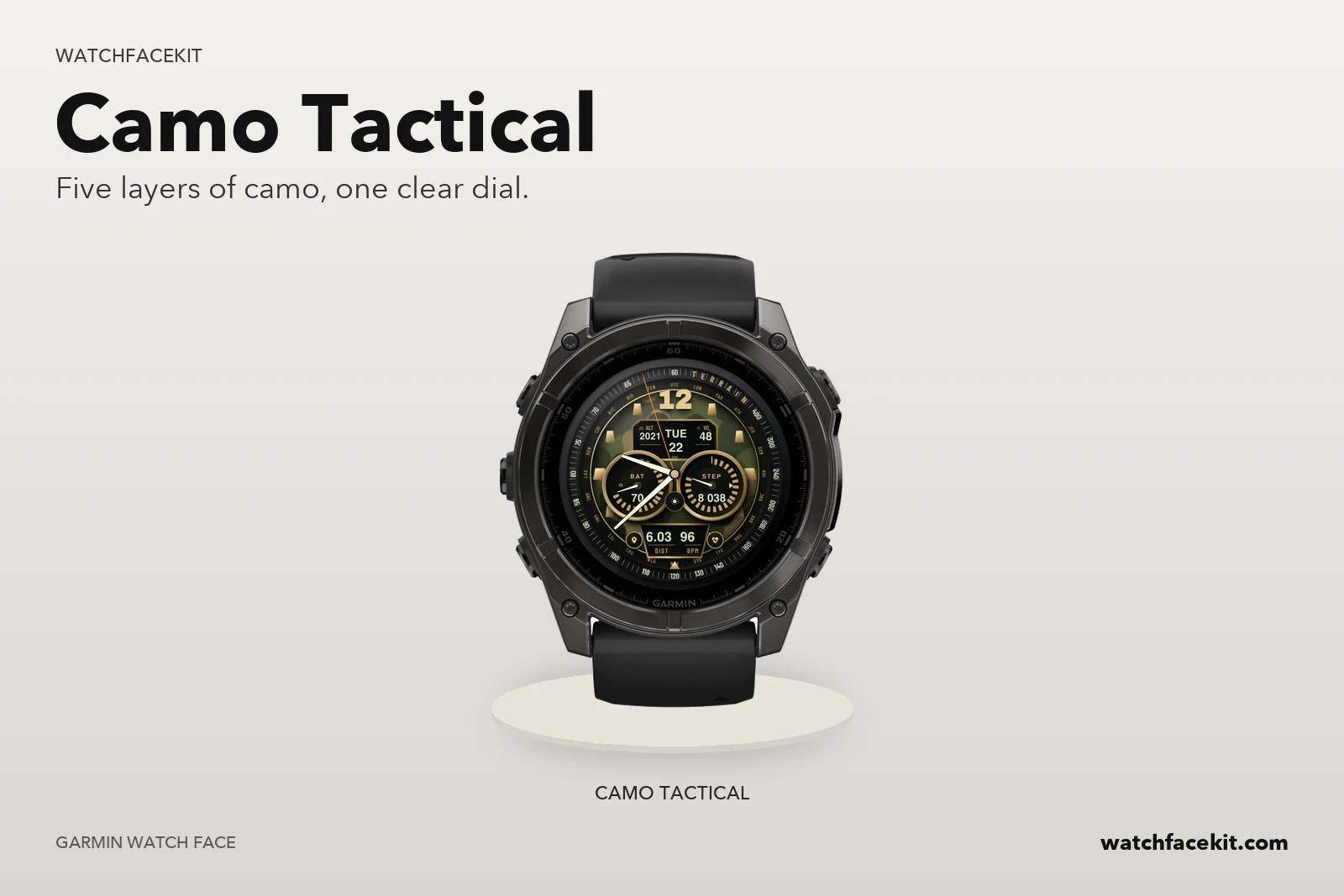
The dial sits in a deep well: tachymeter ring, world-cities ring, a brass flange and the camo base, all lit from the top left. Panels and subdials are sunk into it like real hardware.
The left subdial meters your battery, the right one your steps against the daily goal — each with a segment scale, a needle, and the unfilled part of the scale dimmed, exactly like a physical gauge.
The small porthole between the subdials shows live conditions — sun, cloud, rain, snow or a storm bolt. No forecast data means an empty porthole, not a guess.
The camo dial lights too many pixels for always-on rules, so AOD switches to a black screen with dimmed hour and minute hands and burn-in shift. And any sensor with no reading shows “--” — never an invented number.
fenix® 9 Pro - 51 mm added
The dial now reaches the tachymeter — bigger readings, no wasted rim.
Now available on fenix 9 and fenix 9 Pro.
Find your exact model below before installing.